Go Green Without Going Broke: 7 Simple Ways to Make Your Office Printing Eco-Friendly
The Dual Bottom Line: Environment and Expense
In today’s market, sustainability is no longer a niche trend; it’s a core component of a strong business brand and smart operations. For businesses with CSR (Corporate Social Responsibility) initiatives, reducing your office’s environmental footprint is a priority.
The good news? The most eco-friendly printing practices are also the most financially efficient. By focusing on smart use and modern technology, you can dramatically cut waste, save energy, and reduce material costs.
Fact: The average office worker uses about 10,000 sheets of paper annually. Making simple changes to your print strategy can reduce that number by up to 50%.
7 Simple Steps to Achieve Sustainable Printing
These practices move beyond mere recycling to actively reduce consumption and optimize energy use.
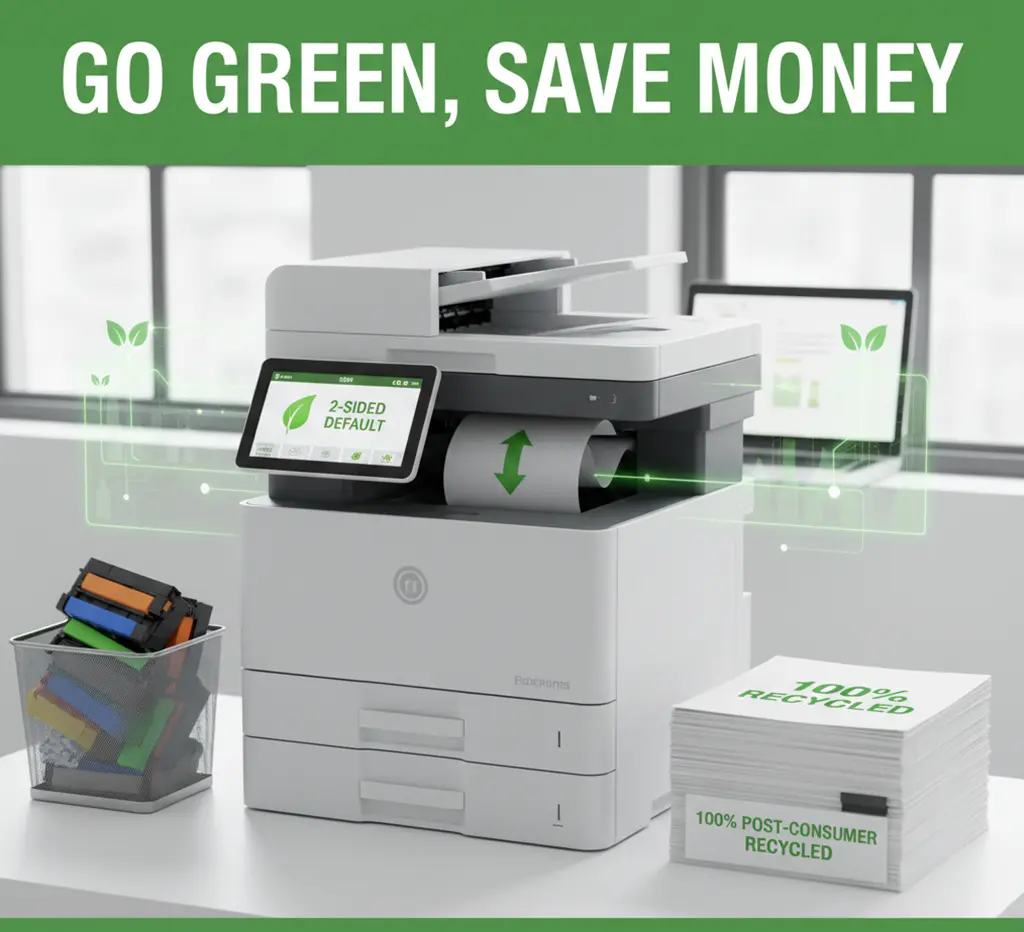
1. Make Double-Sided Printing the Default (Duplex)
This is the fastest, easiest way to cut paper consumption in half. Duplex printing should not be an option—it should be a mandate.
- Action: Go into your fleet management or printer settings and set duplex printing as the factory default for all users.
- The Benefit: Every ton of recycled paper saves 17 trees, 1,440 liters of oil, and 4,000 kilowatts of energy. Duplexing reduces the need for that paper in the first place.
2. Choose ENERGY STAR® Certified Equipment
The blue ENERGY STAR label is a trusted certification ensuring the product meets strict energy efficiency guidelines set by the U.S. EPA.
| Feature | Non-Certified Equipment | ENERGY STAR Certified MFP |
| Energy Use | Consumes high wattage during operation and idle states. | Uses 35% less energy on average. |
| Sleep Mode | Slower power-down cycles; high standby power consumption. | Automatically shifts to low-power mode quickly and efficiently. |
| Environmental Impact | Contributes to greenhouse gas emissions. | Prevents millions of pounds of greenhouse gas emissions annually across the US market. |
3. Implement Cartridge Recycling Programs
Toner and ink cartridges contain plastics, metals, and chemical residues that are harmful to landfills. Proper recycling is mandatory for any green initiative.
- How to Go Zero-Waste:
- Utilize manufacturer take-back programs (e.g., HP Planet Partners, Canon’s program) which often provide free shipping labels.
- Use third-party recyclers who specialize in converting spent cartridges into new materials.
- Place clearly marked recycling bins immediately next to every MFP.
4. Utilize Draft and Black-and-White Defaults
Color ink and high-resolution printing modes use more toner, require more energy (higher fusing temperature for some toners), and increase material costs.
- Draft Mode: Use for internal memos, proofreading, and non-client materials. Draft mode uses less toner per page.
- Black & White Default: Set all printers to default to monochrome (B&W). Users must consciously switch to color, reducing unnecessary use of expensive, pigment-heavy color toners.
5. Adopt Print Management Software
Print management software is the most effective tool for driving behavioral change and reducing waste across a large team.
- Track Usage: Monitor paper, color, and toner consumption by department or user. Accountability drives savings.
- Pull Printing: Implement a system where print jobs are only released via a PIN or employee badge swipe at the device. This eliminates abandoned print jobs, where up to 65% of documents are never picked up.
6. Choose Sustainable Paper
Paper choice significantly impacts deforestation and energy use. The simplest change is to switch your stock.
- Look For: Paper that is FSC-certified (Forest Stewardship Council—ensures sustainable forestry) or contains a high percentage of post-consumer waste (PCW) recycled content.
- Avoid: Bright white, chlorine-bleached “virgin” paper, which requires intensive chemical processing.
7. Digitize and Audit Your Workflows
The greenest print job is the one that never happens. Prioritize digital workflows and only print what is absolutely necessary.
- Use Digital Signatures: Implement services like DocuSign for contracts and internal approvals to eliminate paper printing for signatures.
- Scan to Cloud: Utilize the scanning functionality of your MFP to send documents directly to email or cloud storage (e.g., Google Drive, SharePoint) instead of copying or faxing paper.
- Use Print Preview: Encourage employees to use “Print Preview” every time to catch errors, accidental blank pages, and layout issues before hitting “Print.”
The Bottom Line: CSR Meets ROI
By systematically implementing these seven practices, your business demonstrates a genuine commitment to the environment (boosting your CSR image) while simultaneously reducing operating expenses and lowering IT support time. Sustainability is a strategic win-win.
General Service and Quote Requests
If you plan to get copiers for your office, you can buy copiers or lease copiers. We can give you options for getting the copy machine that you want. You can contact our local copier services department in your location.
For all services, call Clear Choice Technical Services:
Phone: (972) 525-0888
For copier leasing, request a quote today.
For short-term rental inquiries, request a rental quote.
For dedicated Copier Repair Services in Dallas, please visit our Repair Services Website for immediate assistance. Our network is powered by Clear Choice Technical Services.
Read Clear Choice Technical Services Google Review.